
Approving a file write
The card names the file being changed, and says exactly what would be remembered if you allow it always.
Security
Tool calls fall into read, write, shell, network and meta, and risk is low, medium or high. The default mode allows reads only; anything that changes something asks in an approval dock that does not cover the conversation.

Permission modes
In every mode, hard-deny rules run first: sensitive paths, invalid manifests and sandbox limits.
In the app
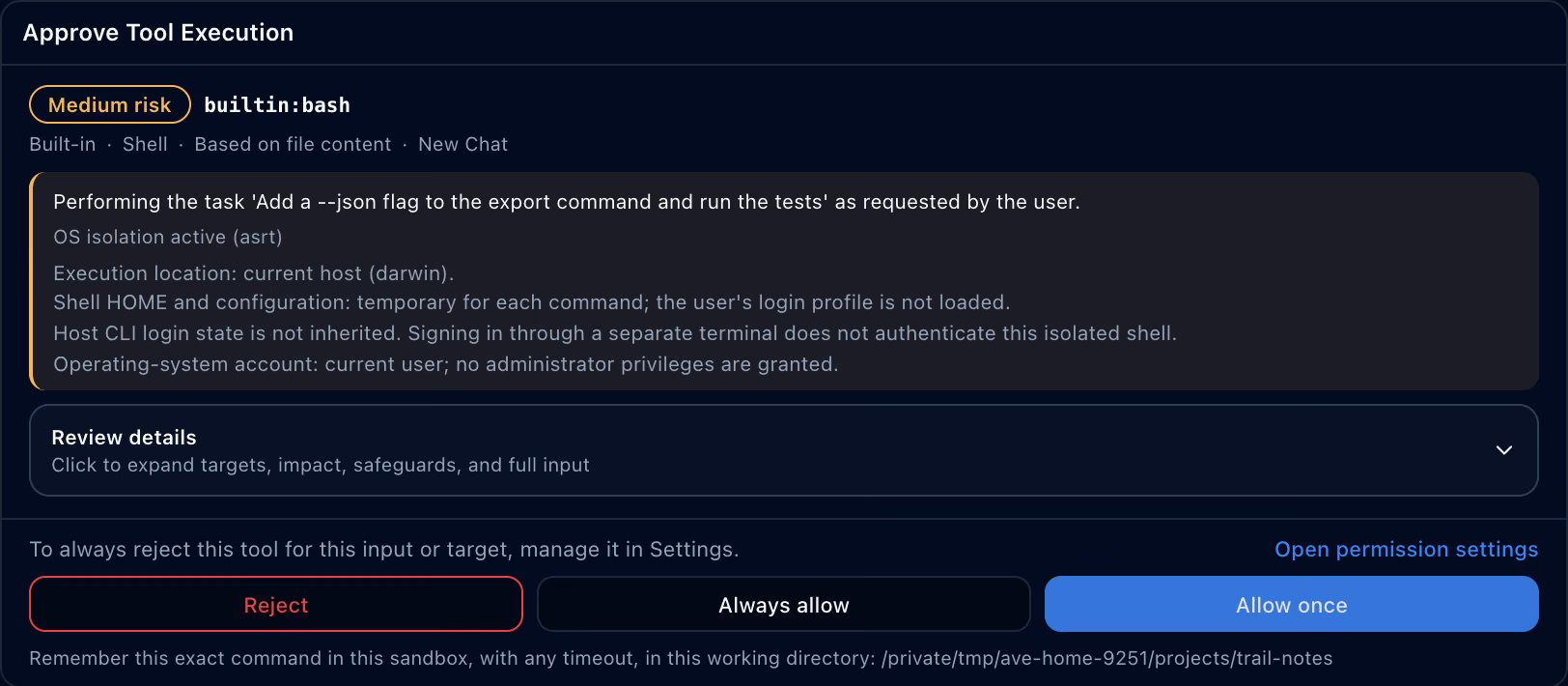
An approval card shows what runs, where, and under which isolation. Always allow is bound to exactly that tool, input and working folder.
The card names the file being changed, and says exactly what would be remembered if you allow it always.

In agent tabs an approval lasts until Ave restarts; in your own tabs, clicking and typing ask every time.

Seatbelt on macOS, bwrap on Linux and srt-win on Windows confine tool execution at the operating-system level.

~/.ave/audit.log is HMAC-chained, and audit records never contain raw secrets.
They start with the project root, ~/.ave, a private scratch folder and the system temporary folder (plus /tmp on macOS and Linux), and grow through permissions.additionalDirectories in settings. Anything outside them asks separately.
Validation off (auto-pass), rule-based validation, LLM validation, or strict, where every request that changes something waits in a queue for you.
Users and administrators can each keep a policy.json, and a valid administrator policy locks the settings it covers.

Verified installs
Plugins run in their own processes, and the host rates the risk of every call. A plugin cannot lower it.
Exactly that tool, input and working folder. If the target name contains a wildcard, Ave won’t save the rule and suggests Allow once instead.
The request is held, not passed. LLM validation can raise a risk rating, never lower it.
Anything above low risk goes to a deferred queue and waits for you.
Sensitive paths, such as keys under ~/.ssh and .env files, are blocked in every mode.
API keys and other credentials are always removed before anything is sent, whatever the settings say. Personal data such as email addresses, phone numbers and card numbers is replaced with [REDACTED:*] when you turn on PII Redaction (off by default), and the count is recorded in the audit log.
A plugin with the host:overlay capability can suggest one, but it starts only when you accept it, and write, shell and network tools inside it ask again.
srt-win confines files and network, not processes, and isolation between plugins is available on macOS and Linux only.
No. You turn it on, and it needs a restart. With the sandbox on, network is denied by default.