
Run it again in the same terminal
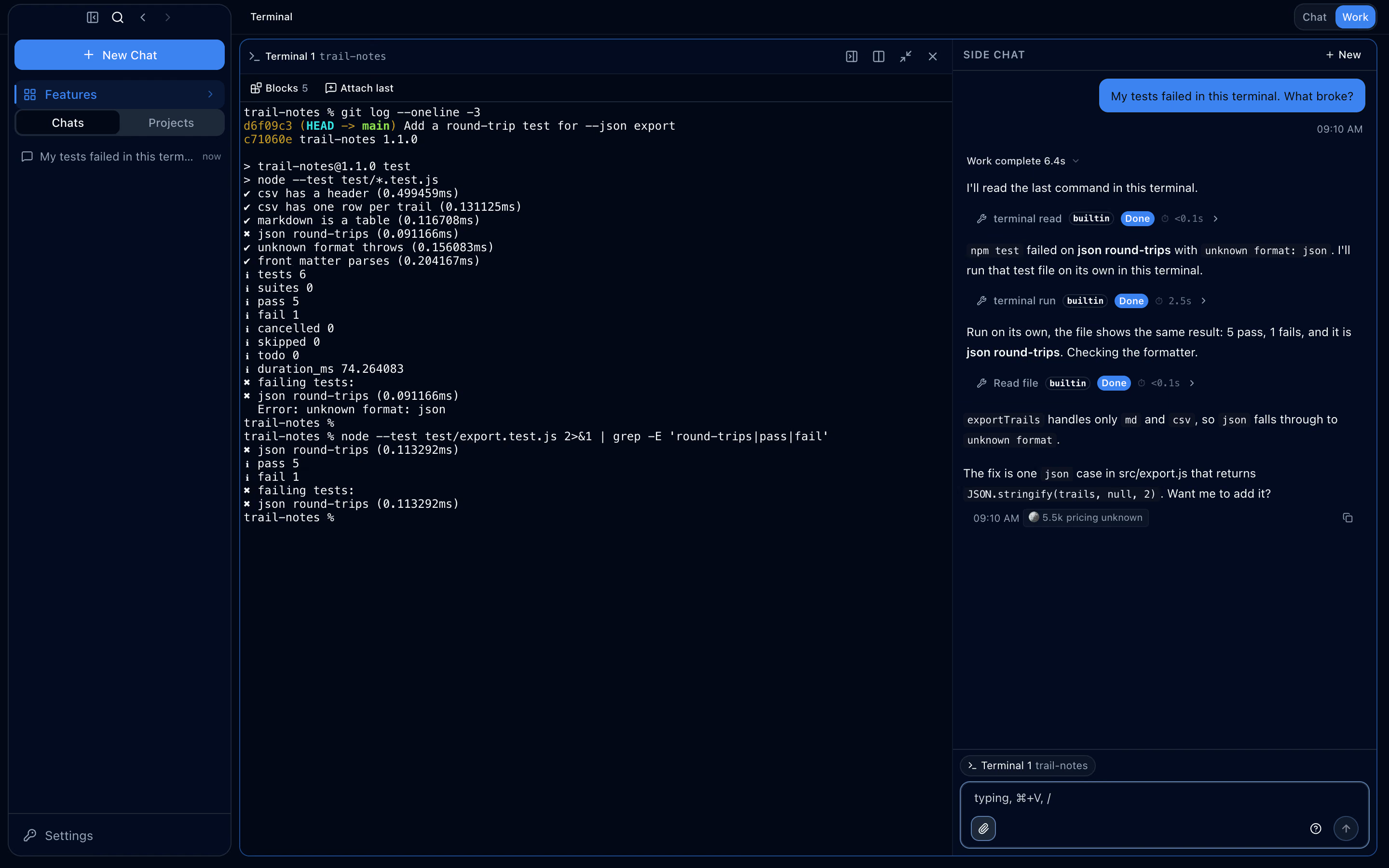
It reads the failed npm test output and shows an approval card for the command that will run the test again in the same terminal.
Terminal
Ave’s terminal is a PTY running a real shell inside the operating-system sandbox. Open it in the side panel and move it to the main area. In the terminal’s own chat, the agent reads your output and runs an approved next command in the same shell.

Command blocks
Shell integration marks where each command starts and ends, so every command becomes a block with its command line, folder, exit code and duration.
With the agent
terminal_read lists tabs and reads command blocks and output; terminal_run sends one line through the permission check into the same terminal. The approval card fixes the terminal and its working directory. Ave refuses the command while the shell is busy or you have typed input without submitting it. Output reaches the agent marked as untrusted data.
It reads the failed npm test output and shows an approval card for the command that will run the test again in the same terminal.

The terminal or page you last brought forward becomes the side chat’s target, shown above its composer.
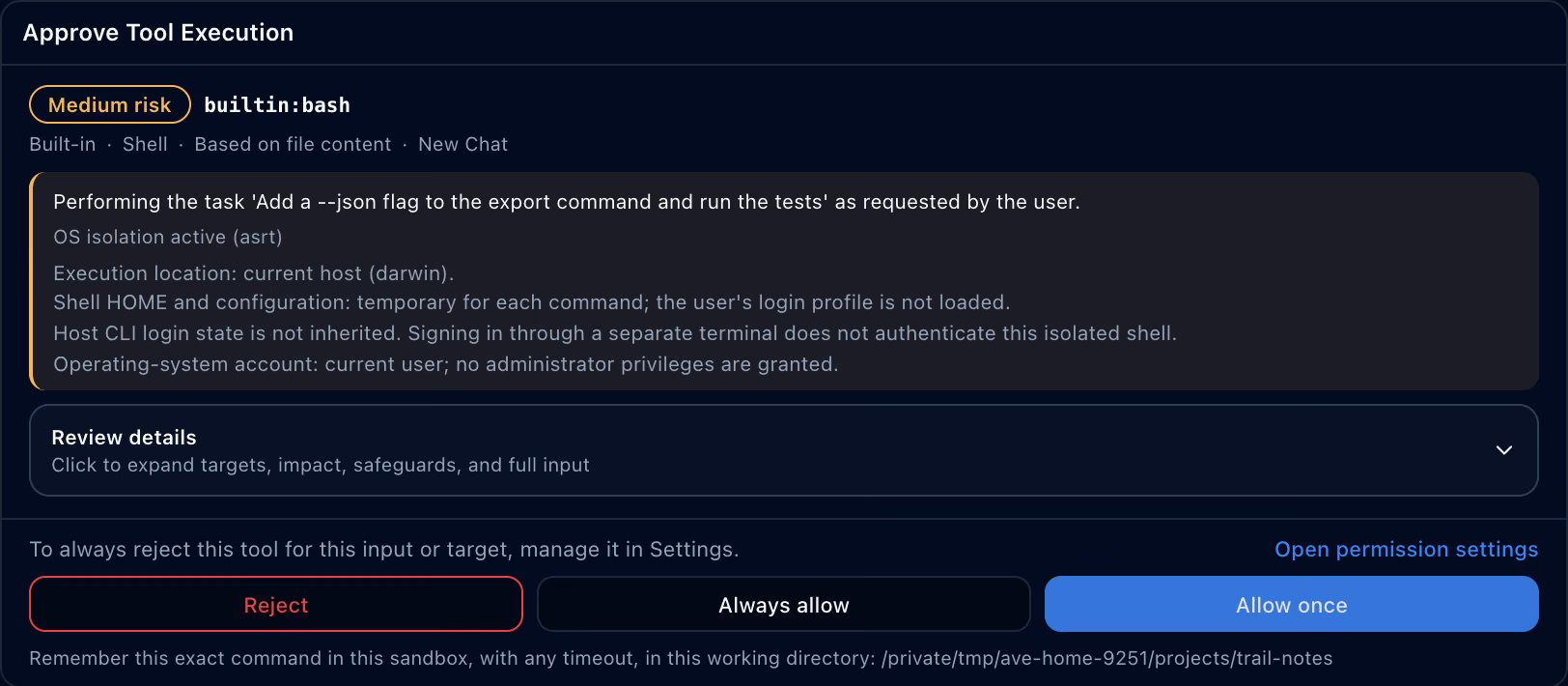
Commands the agent runs go through its shell tool, one process each, and show where they run and how they are isolated before you approve.

An empty side panel opens a terminal, browser, files, sub-agents or a side chat in one click.

Sandbox
The terminal runs only inside the OS sandbox. When the sandbox cannot contain a shell, the terminal refuses to start; there is no unsandboxed fallback.
The terminal needs the OS sandbox. Turn on OS Tool Sandbox in Settings → Permissions and restart Ave. Where the sandbox cannot contain a shell, the terminal does not start.
No. Move to main area, or dragging the tab, keeps the shell and its output. A terminal shows in one place at a time, and closing its main-area pane ends the shell.
Yes. terminal_run sends one line into the selected terminal through the permission check. The terminal and its current working directory must still match the approval card at execution time. Ave refuses the command while the shell is busy or you have typed input without submitting it. terminal_read only reads output.
When the shell sends a notification escape (OSC 9 or OSC 777), the pane is marked, and if the Ave window isn’t focused the system shows a notification.
⌘⇧T opens a new panel of the same kind at the same address. A closed shell process is not revived.